Join with a QR code
Customers open the request page on their phone and fill in their details.
Vietnam · UTC+7
Let customers scan a QR code and request their ticket using Vietnamese form labels and instructions. Staff manage the queue through a browser, and your business can select Vietnam’s UTC+7 time zone.
Vietnam
English / Tiếng Việt / 简体中文 / 繁體中文
Cloud QMS
Customers open the request page on their phone and fill in their details.
Eight language options help customers understand the form labels and instructions.
Staff manage the queue and serve customers through the browser-based system.
Choose the time zone for the business location and confirm its operating hours.
For a clinic reception or customer service counter, the Vietnamese request-form option helps customers understand what to enter. Check your service names and form flow with your team before launch. Confirm any separate language requirements for staff screens and notification messages.
The queue request page offers eight languages. The screenshots below show the actual language selector and Bahasa Melayu form.
Language options cover request-form labels and instructions. Service names use your business configuration. Ask us to confirm separate requirements for staff screens or notification messages.
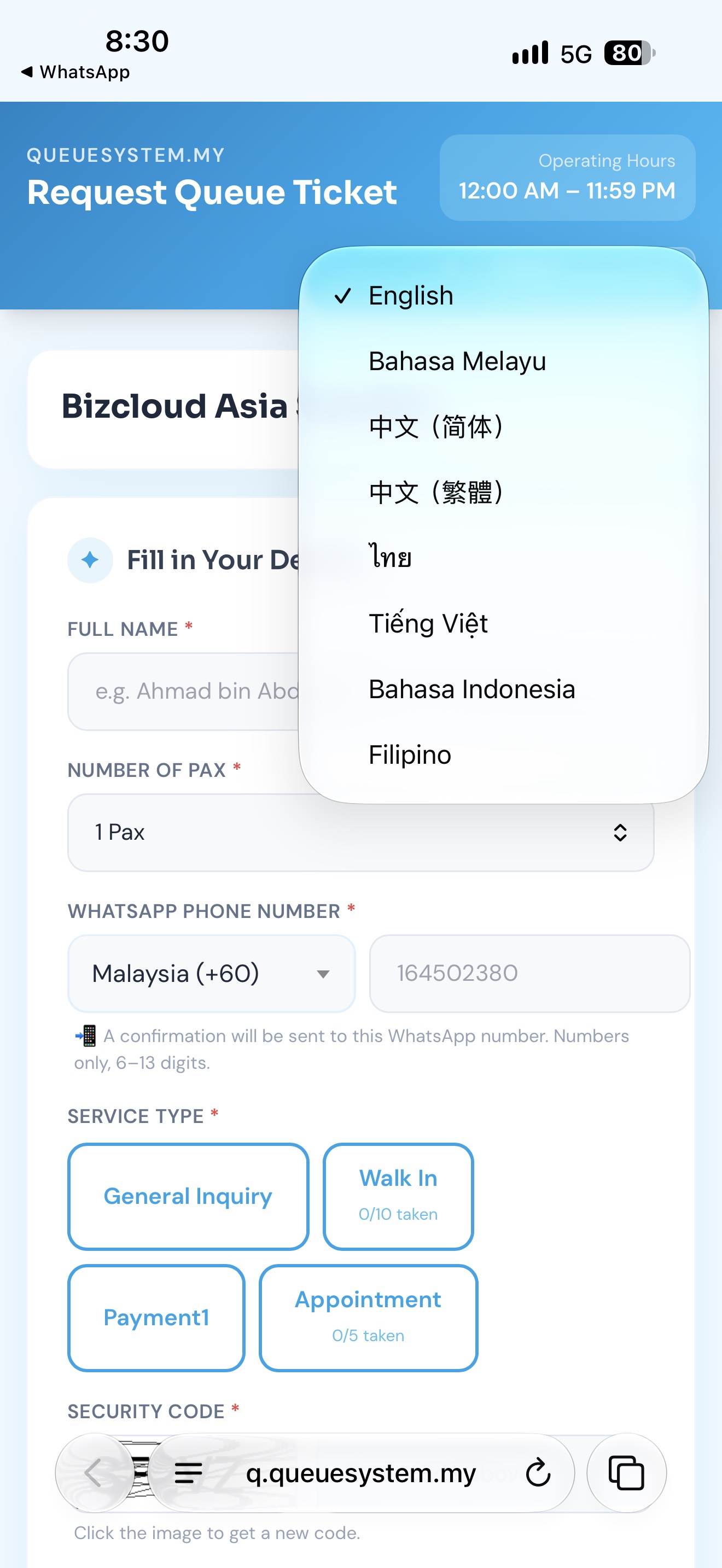
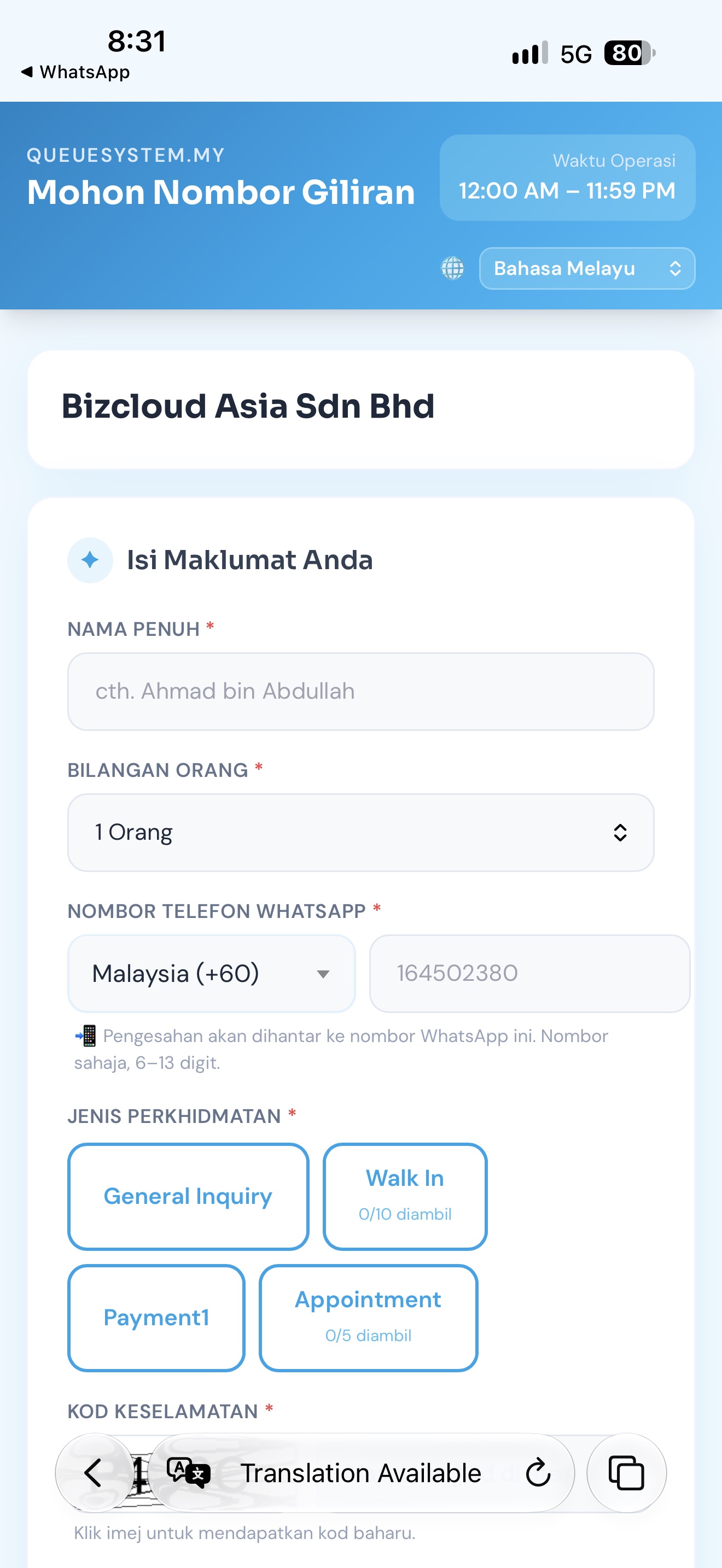
Vietnam uses UTC+7. Select Asia/Ho_Chi_Minh as the business time zone for a location in Vietnam, including Hanoi, and check your operating hours.
| Business location | UTC offset | Time-zone identifier |
|---|---|---|
| Vietnam | UTC+7 | Asia/Ho_Chi_Minh |
These identifiers help you describe your requirements. Confirm the available settings and operating hours during setup. Time-zone reference: IANA
Review the Vietnamese customer request form.
Select Vietnam time and confirm local operating hours.
List your city, services and counters, and confirm notification requirements.
Yes. Customers can choose Vietnamese for the queue request form labels and instructions. Your business configures the service names.
Use Asia/Ho_Chi_Minh (UTC+7), which represents Vietnam time, and set the operating hours for your business location.
Yes. Review the customer request page in the demo and tell us your requirements for staff screens, service names and notification messages. The eight-language feature is confirmed for request-form labels and instructions.
Share your country, city, number of counters and operating hours. We will confirm the recommended setup and quote for your requirements.