See service time and outcomes
Staff can record service status and time spent with a customer, while managers review the activity in reports.
Explore service controlsOne queue. A more welcoming experience.
A familiar language. The right local time. An easier way to join the queue. Give customers a browser-based queue experience and keep your team in control.
Scan a QR code to join. No customer app to install.
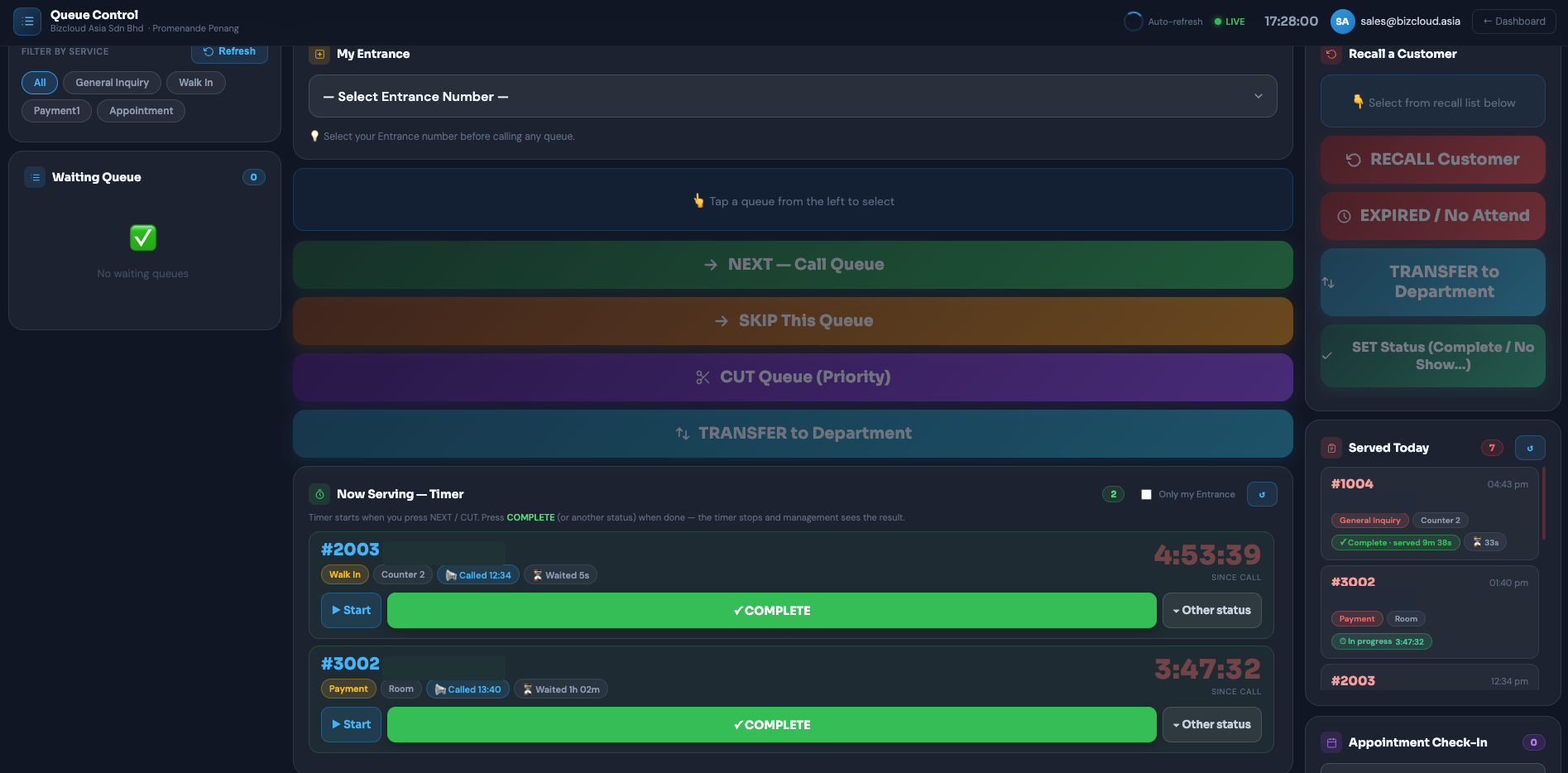
Their language. Their queue.
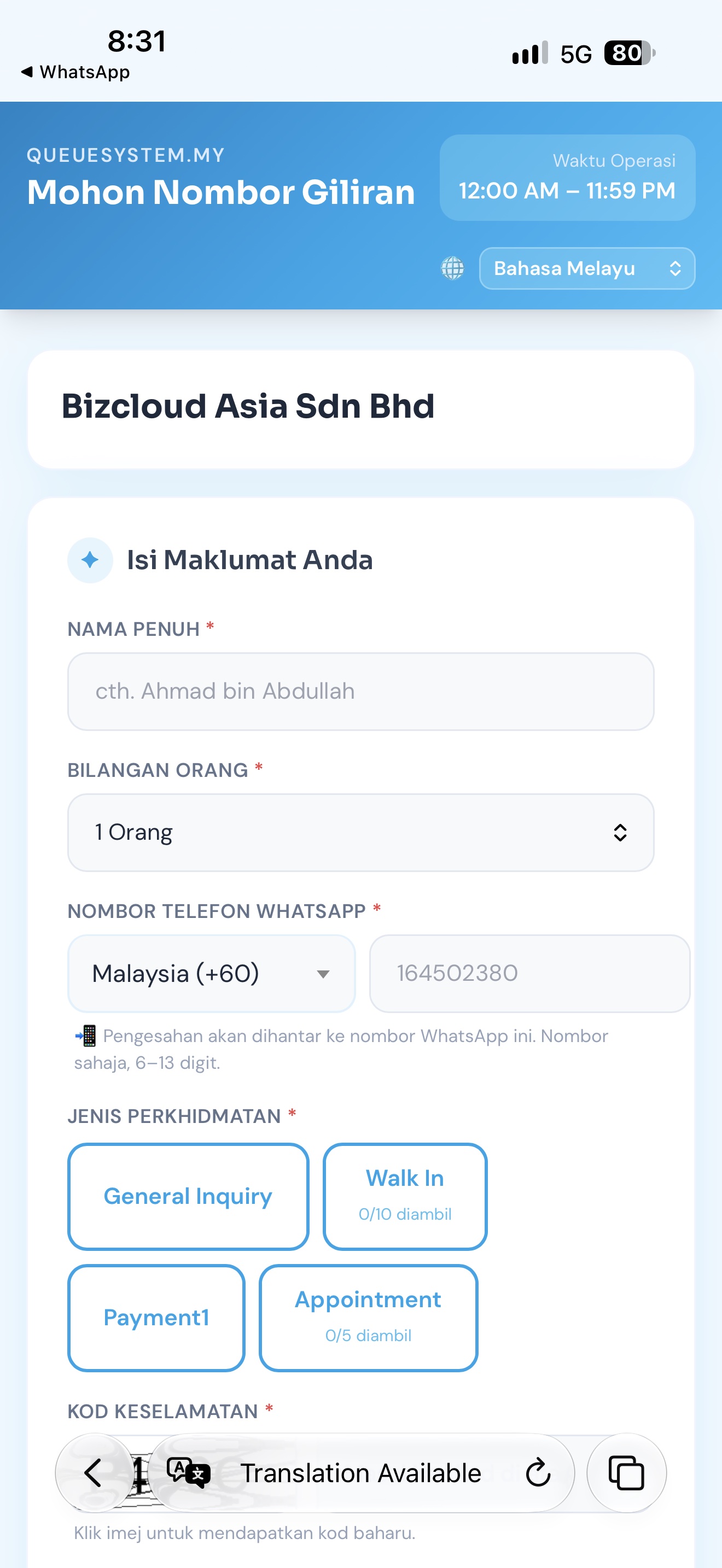
From arrival to service
Replace the guessing with a clear queue journey. Customers join on their phone; your team calls, serves and tracks each visit online.
A QR code opens your queue request page in the customer’s phone browser.
Customers read the form in a familiar language and select the service they need.
A live browser ticket shows their queue status. Add WhatsApp alerts if needed.
Staff call the next customer, transfer departments and record the service outcome.
Local details. A shared platform.
Your customer’s queue request page offers eight language choices. Labels and instructions change with the selected language, making it easier to take that first step.
These languages apply to the customer queue request form. Your configured service names may stay in their original language.
Choose your business time zone rather than being limited to Malaysia’s UTC+8. Thailand and Vietnam use UTC+7; Indonesia spans UTC+7, UTC+8 and UTC+9.
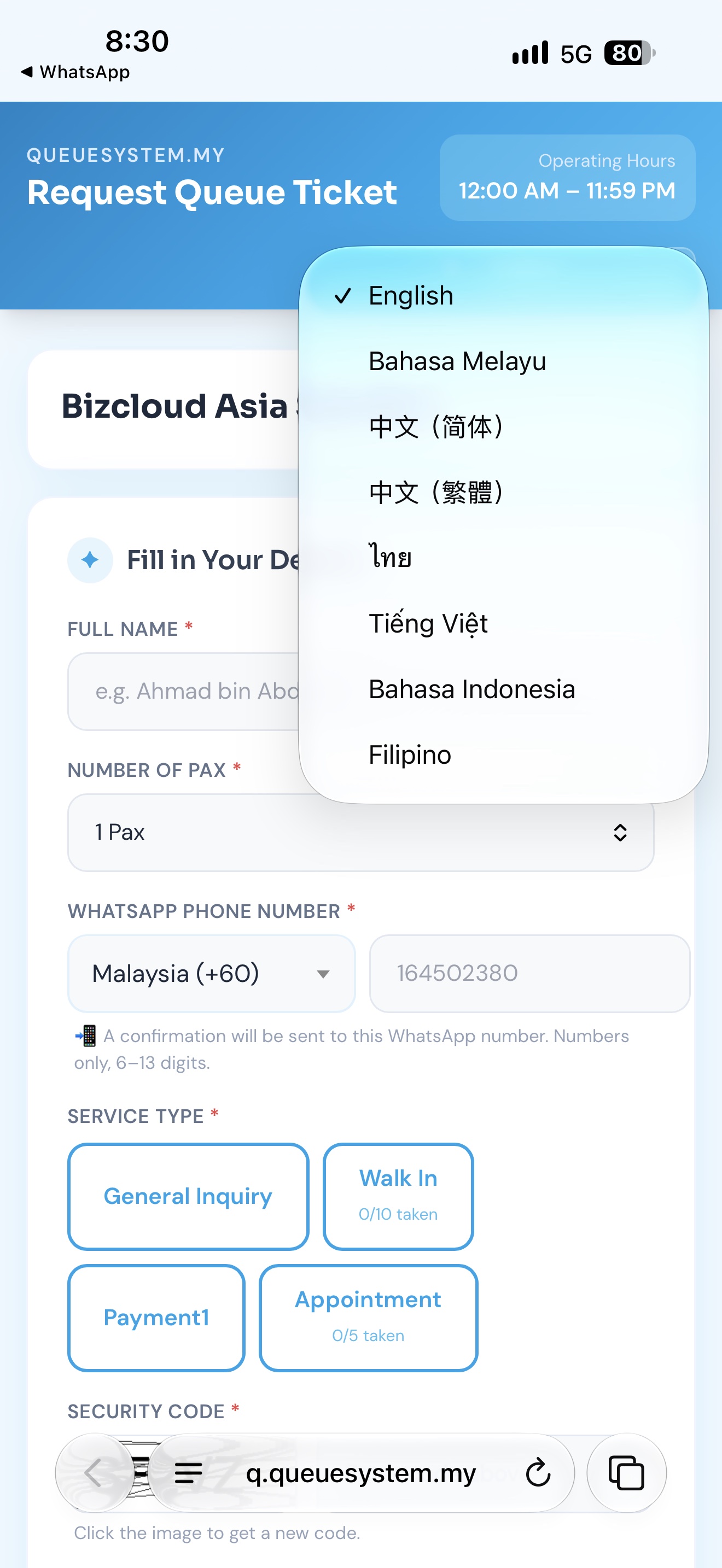
A clearer view of service
Connect the steps behind your service counter, from department handovers to the time spent serving and the feedback customers leave.
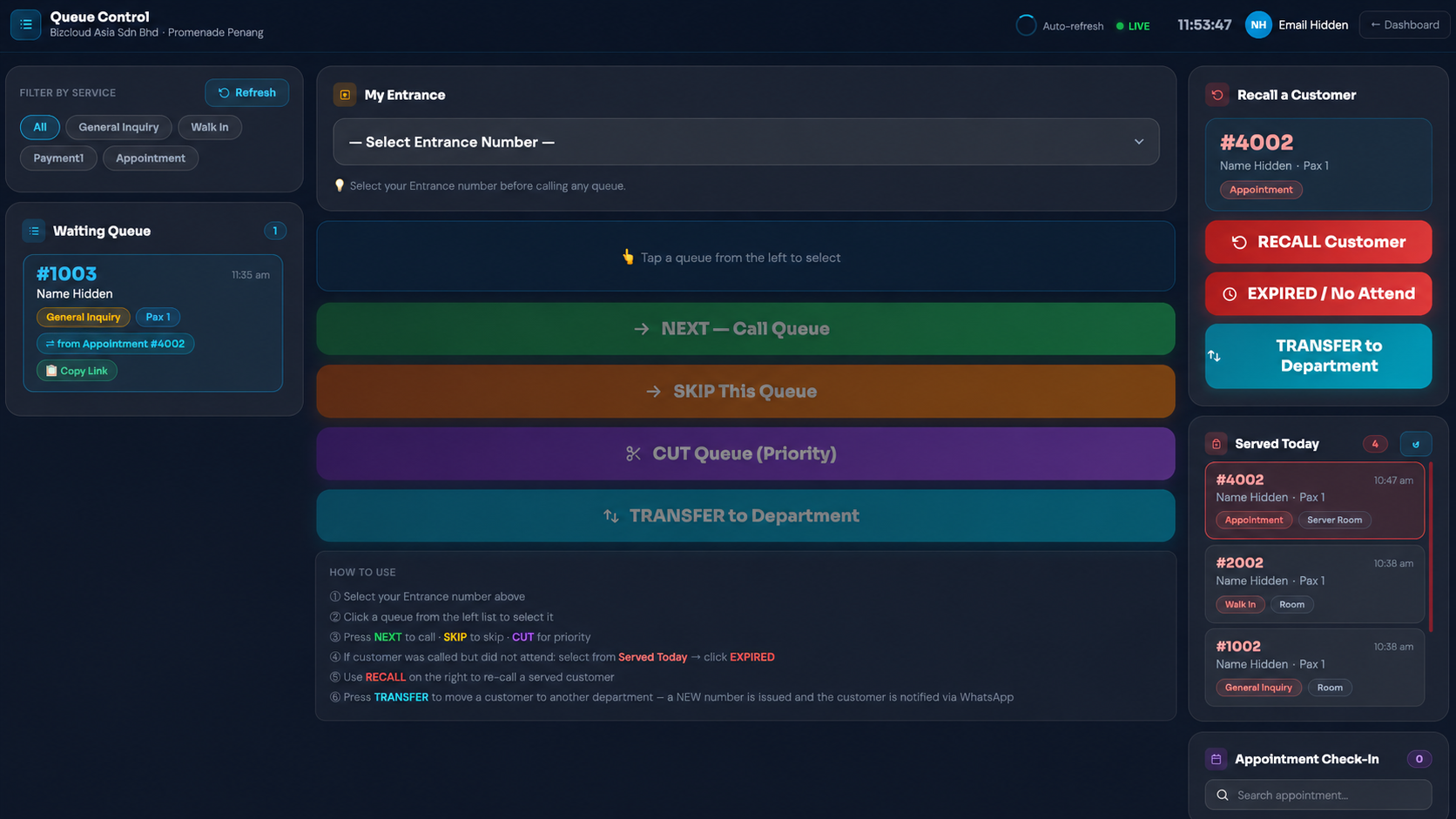
Transfer a customer to the next department and keep the handover in the queue history. Their live browser ticket updates with the next queue number.
See department transfersStaff can record service status and time spent with a customer, while managers review the activity in reports.
Explore service controlsUse the optional satisfaction kiosk to collect a rating after service and review customer feedback.
See the satisfaction kioskAdd ticket and call notifications to the same cloud queue platform.
Explore WhatsApp QueueFind your local fit
Explore customer languages, local time-zone choices and setup considerations for your country. Tell us about your branches and we can discuss a suitable cloud setup.
English · Bahasa Melayu
UTC+8Explore MalaysiaBahasa Indonesia · English
UTC+7 / +8 / +9Explore IndonesiaEnglish · Chinese
UTC+8Explore SingaporeEnglish · Filipino
UTC+8Explore PhilippinesThai · English
UTC+7Explore ThailandVietnamese · English
UTC+7Explore VietnamBahasa Melayu · English
UTC+8Explore BruneiShare your locations, counters and customer languages.
Discuss your requirementsLanguages shown above are customer queue request choices. Website translations and staff support languages are separate.

A better welcome starts here
Whether you manage a clinic, customer service desk or reception area, the queue should help visitors understand what happens next.
Talk to our Malaysia-based team about your service flow, languages, time zones and remote setup requirements. We will discuss what fits your business before you choose.
Talk through your service flowBeyond Cloud QMS
Need ticket-printer hardware, event entry or employee attendance? Explore our related systems and discuss the equipment and setup available for your location.
See the experience for yourself
Try the customer journey, then tell us what your team needs.